Connect OKX to ArbLens
Monitor balances, positions, and transaction history securely using Read-Only API access.
Open API Management
Log in to your OKX account.
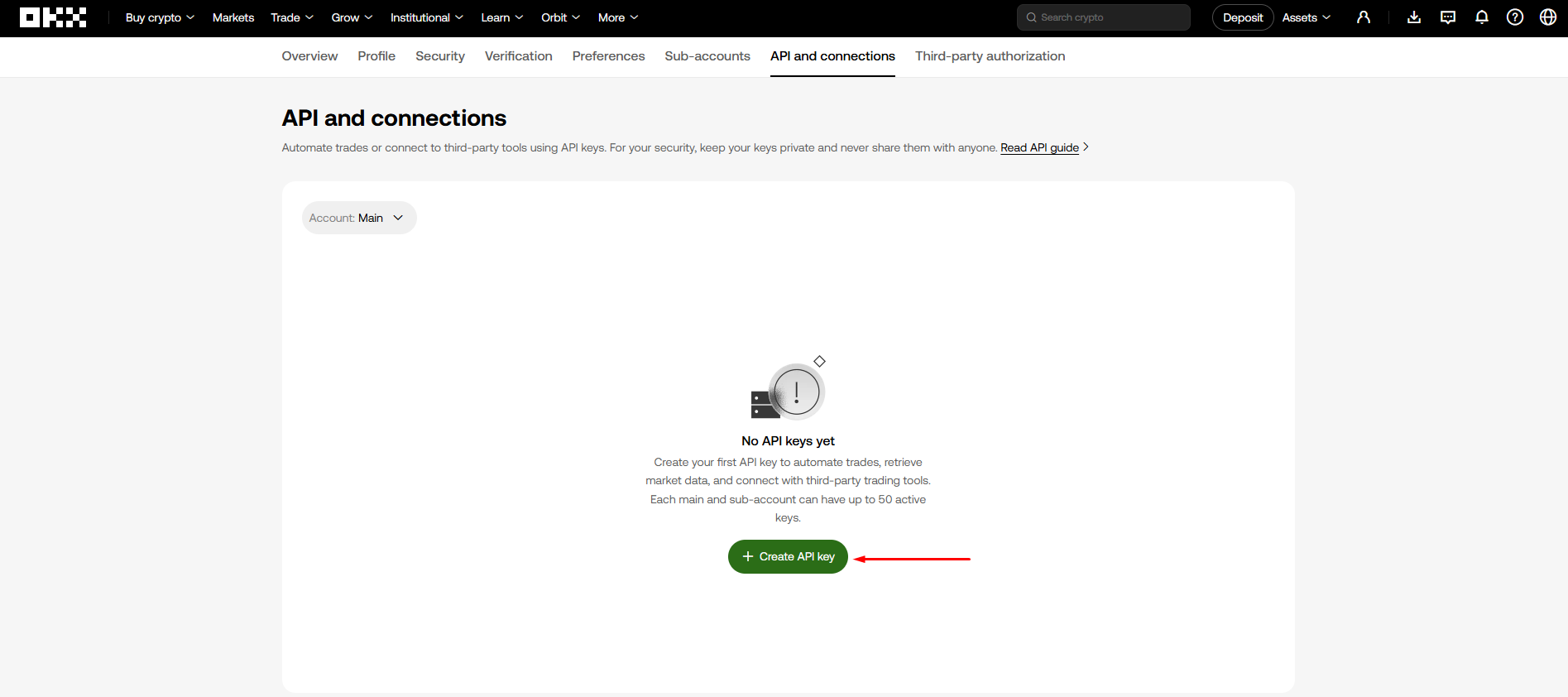
Go to Account → API and open API and connections.
Click Create API key.
Configure API Key
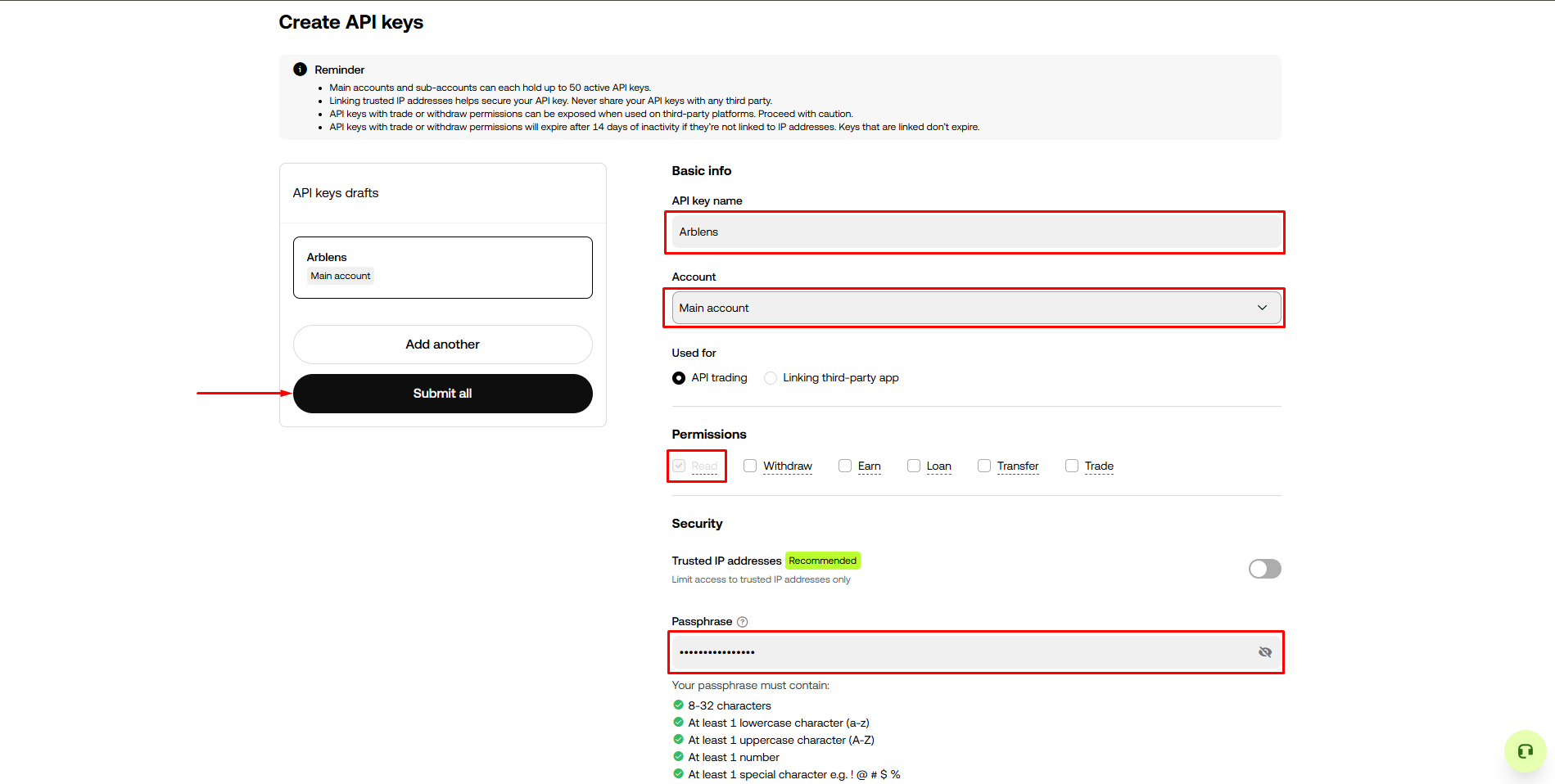
Enter a name for your API key. We recommend: ArbLens
Select the account you want to connect. Under Used for, select API trading.
Under Permissions, enable Read only. Make sure Withdraw, Earn, Loan, Transfer, and Trade remain disabled.
Leave Trusted IP addresses only disabled.
Enter an API passphrase and click Submit all.
Keep the API passphrase safe. You will need it when connecting your OKX account to ArbLens.
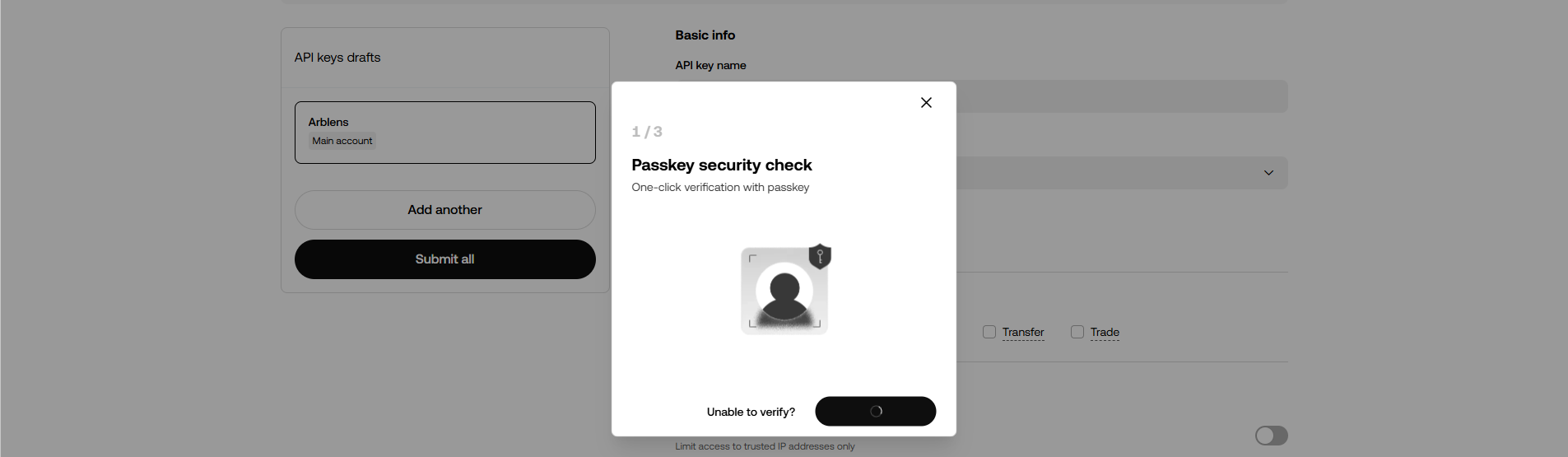
Complete Security Verification
Complete the required Passkey security check.
Follow the instructions shown by OKX to approve the request.
Copy Your API Credentials
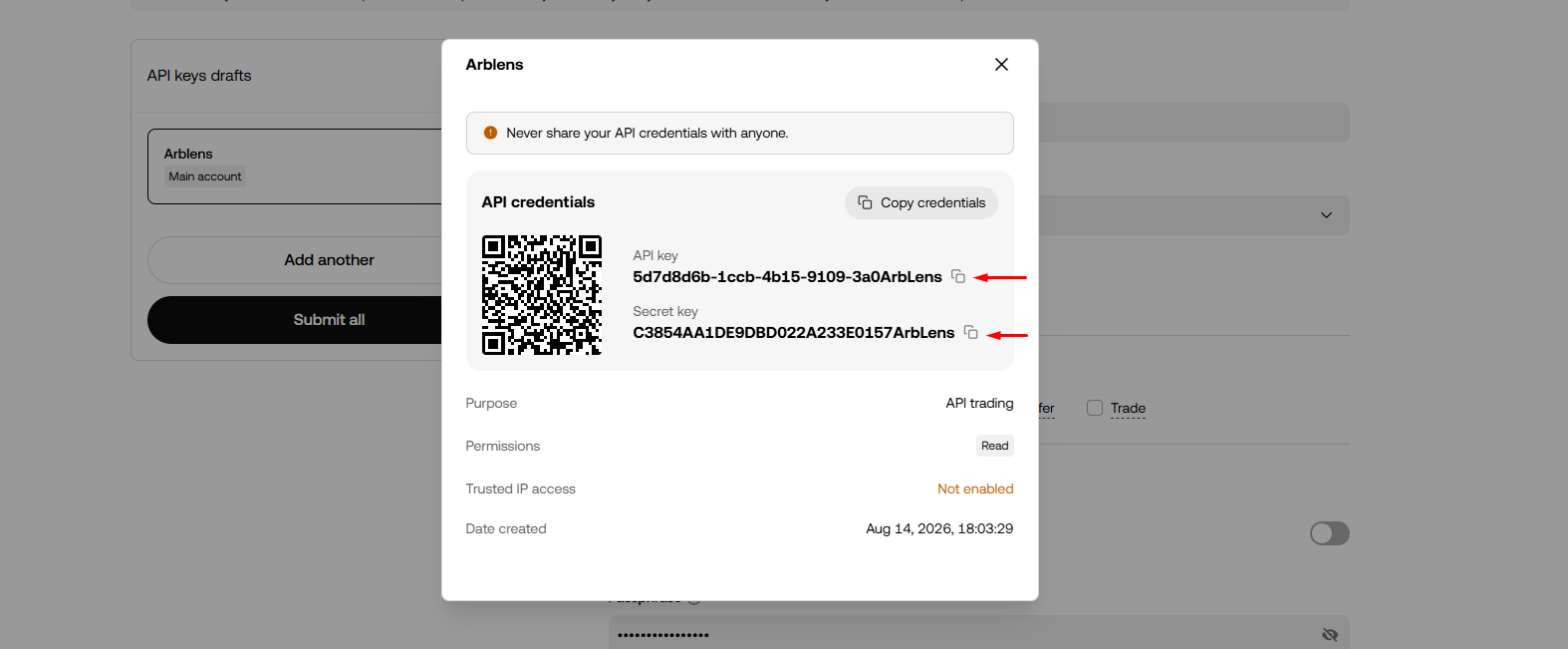
After verification, OKX will display your API credentials.
Copy the API Key, Secret Key, and Passphrase. You can use Copy credentials to copy the API Key and Secret Key.
Save your Secret Key securely. Make sure you have copied all three credentials before closing the window.
Connect OKX to ArbLens
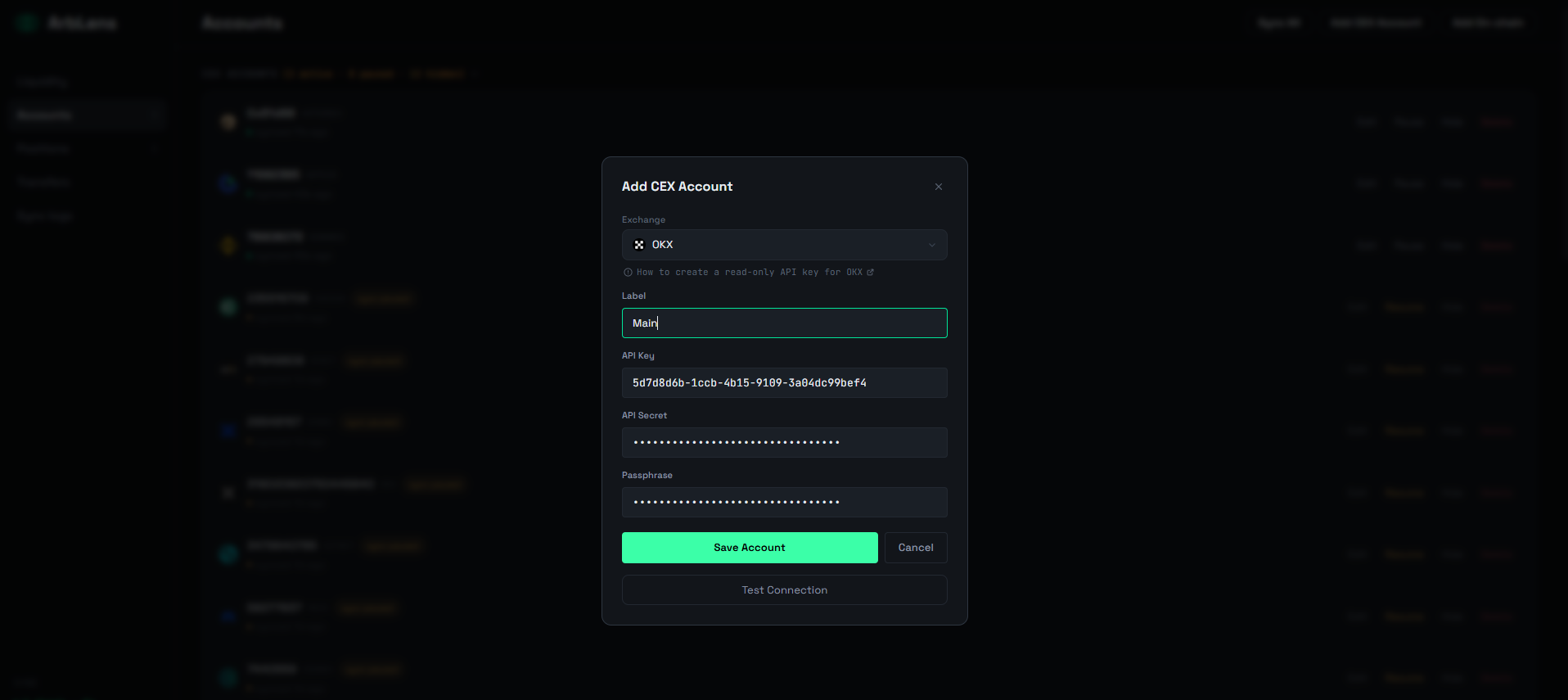
In ArbLens, click Add CEX Account.
Select OKX, enter your Label, API Key, API Secret, and Passphrase, then click Save Account.
If the credentials and permissions are correct, the connection will be verified successfully.
ArbLens uses your API credentials exclusively to retrieve account information. With Read-Only permissions, ArbLens cannot:
- Execute trades
- Place or cancel orders
- Withdraw funds
- Transfer assets
Your assets always remain under your control.