Connect MEXC to ArbLens
Monitor balances, positions, and transaction history securely using Read-Only API access.
Open API Management
Log in to your MEXC account.
Click your profile icon in the top-right corner and select API Management.
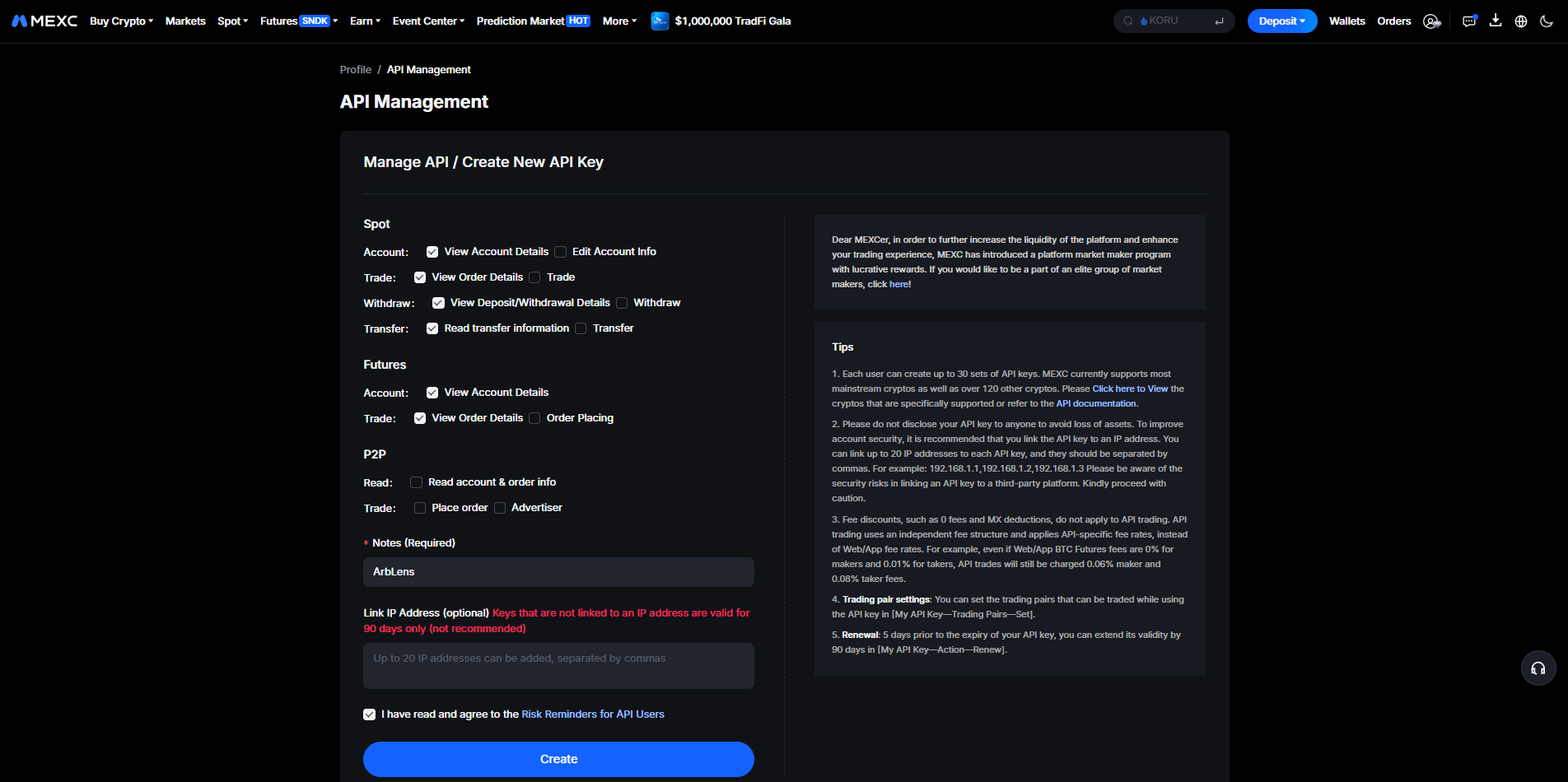
Click Create New API Key.
Configure API Permissions
Under Spot, enable only these read permissions: View Account Details, View Order Details, View Deposit/Withdrawal Details, Read transfer information.
Under Futures, enable: View Account Details, View Order Details.
Keep all action permissions disabled: Trade, Withdraw, Transfer, Order Placing.
Do not enable any P2P permissions.
For Notes, enter: ArbLens
Leave Link IP Address empty unless you have a dedicated IP available.
Check the agreement box and click Create.
Never enable Trade, Withdraw, Transfer, or Order Placing. ArbLens only needs read access. MEXC recommends linking API keys to an IP address for additional security. Keys without a linked IP are subject to a limited validity period.
Complete Security Verification
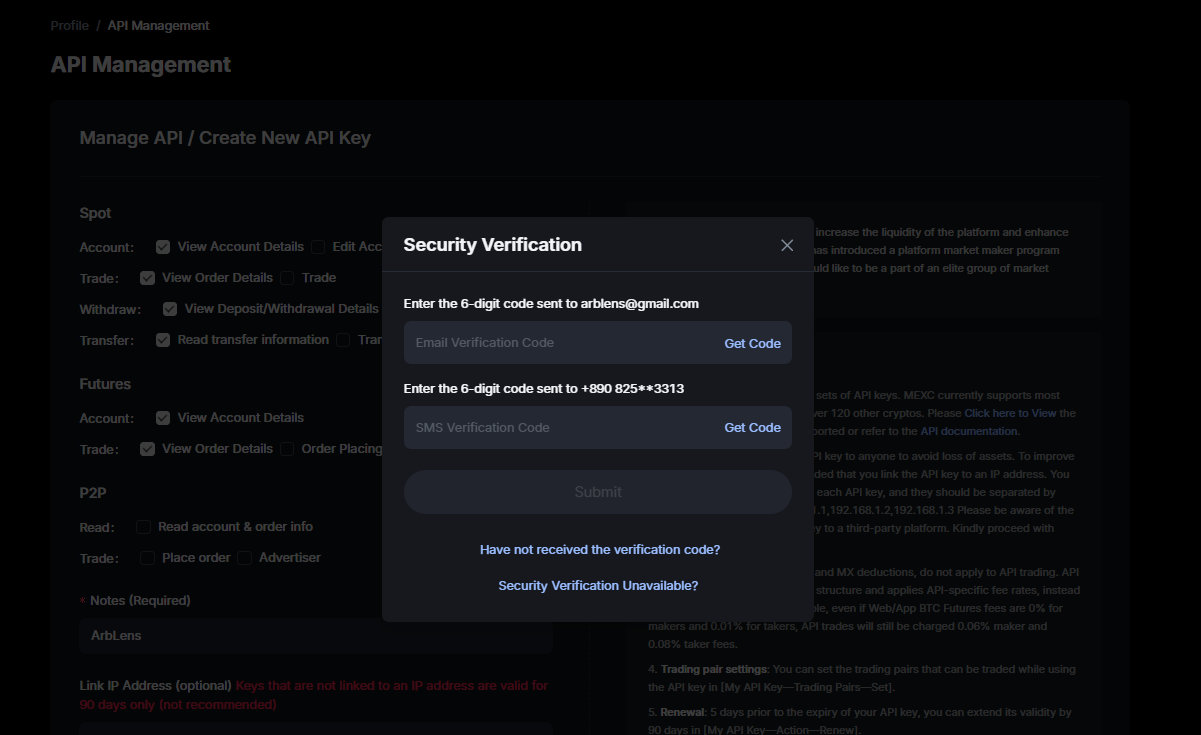
Enter the verification codes requested by MEXC.
Depending on your account settings, this may include an Email Verification Code and SMS Verification Code.
Click Submit.
Copy Your API Credentials
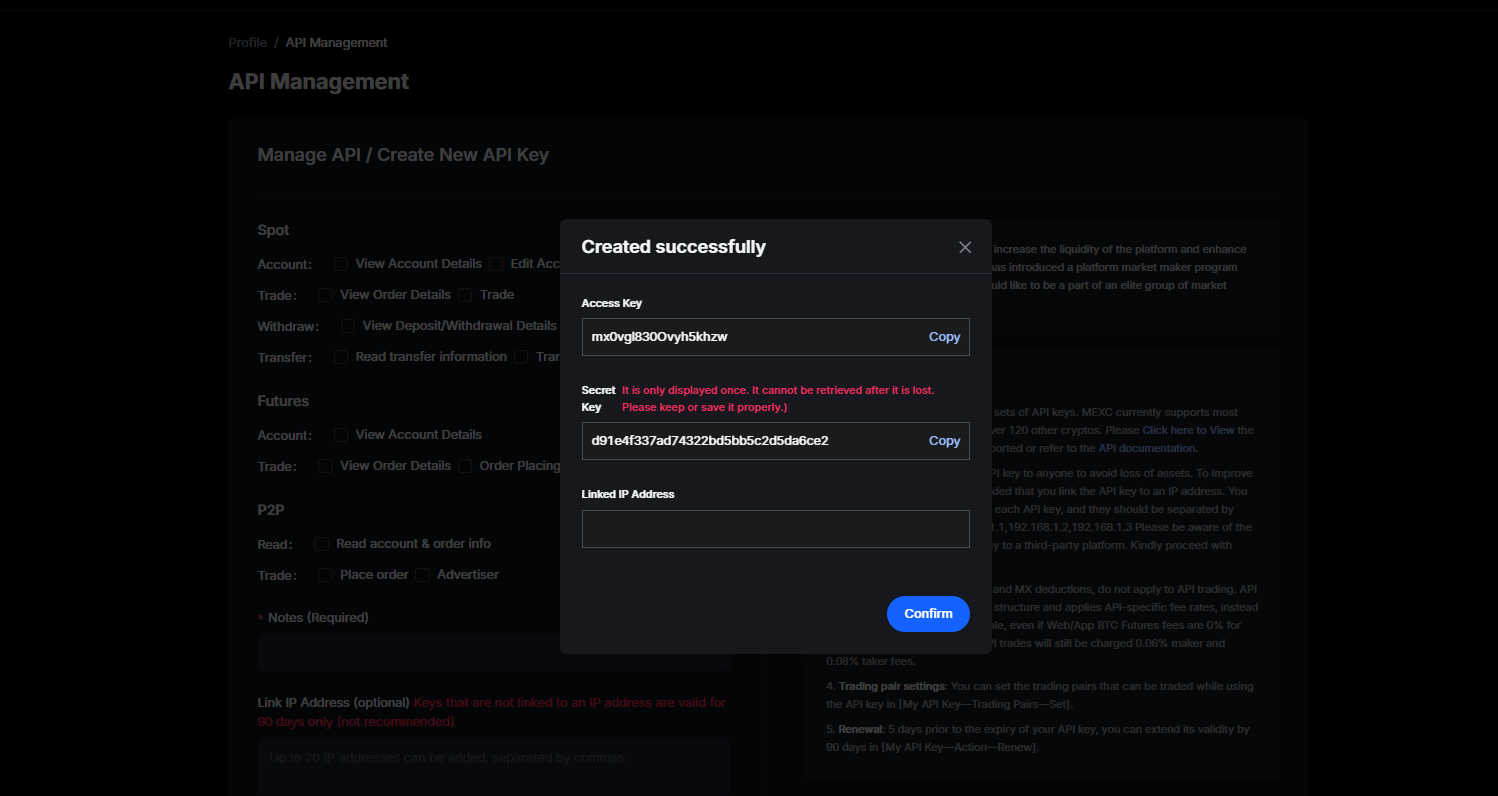
MEXC will display your credentials after the API key is created.
Copy both the Access Key and Secret Key.
The Secret Key is displayed only once and cannot be retrieved after you leave this page. Save it securely before closing the window.
Connect MEXC to ArbLens
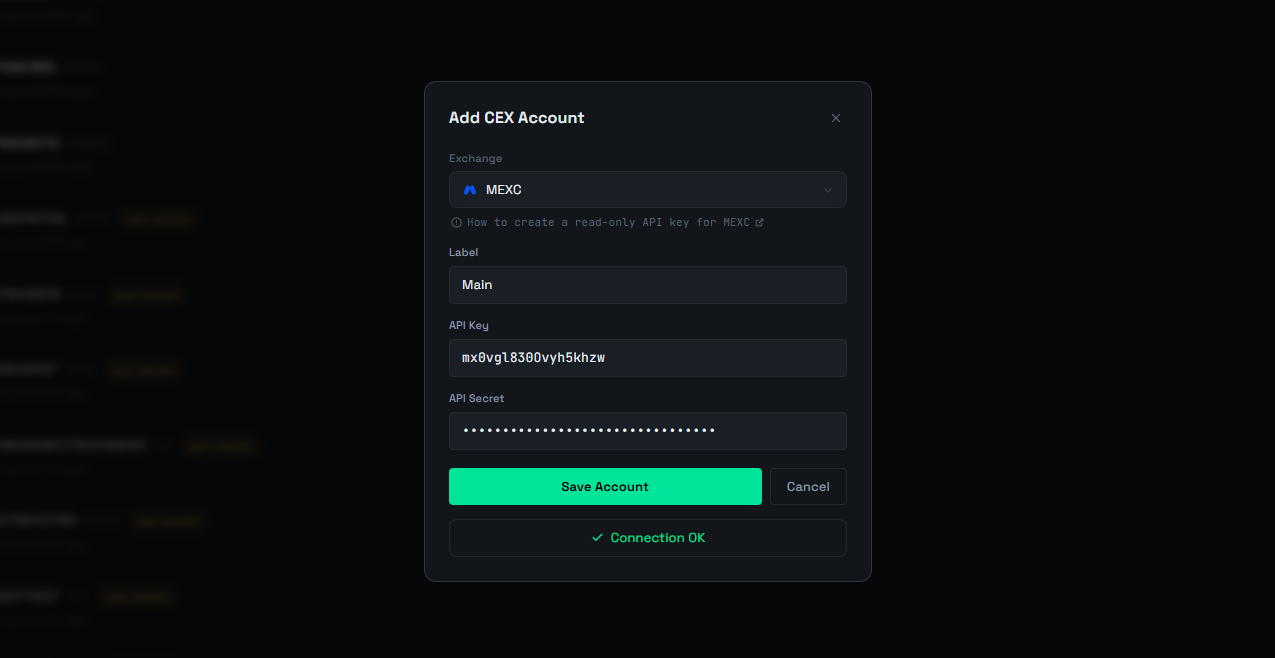
In ArbLens, click Add CEX Account.
Select MEXC, enter your Label, API Key (Access Key), and API Secret (Secret Key), then click Save Account.
If the credentials and permissions are correct, you will see ✓ Connection OK.
ArbLens uses your API credentials exclusively to retrieve account information. With Read-Only permissions, ArbLens cannot:
- Execute trades
- Place or cancel orders
- Withdraw funds
- Transfer assets
Your assets always remain under your control.