Connect Hotcoin to ArbLens
Monitor balances, positions, and transaction history securely using Read-Only API access.
Open API Management
Log in to your Hotcoin account.
Go to API Management and click Create API Key.
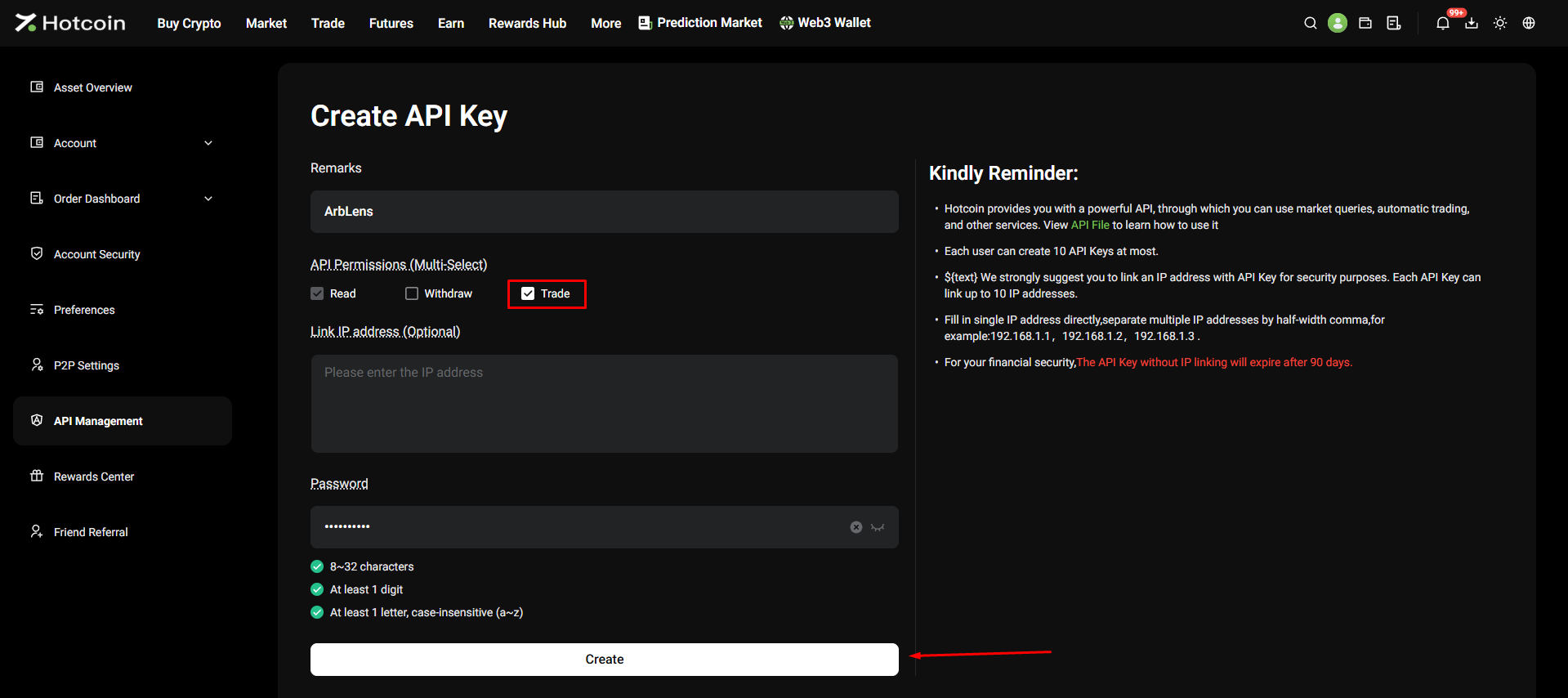
Configure the API Key
Fill in the following:
Remarks: ArbLens
API Permissions: select Read
Link IP address: optional
Leave Trade and Withdraw disabled.
Enter your account password and click Create.
For ArbLens, select Read only. Do not enable Trade or Withdraw. If you have a trusted static IP, enter it under Link IP address. Without IP binding, Hotcoin API keys expire after 90 days.
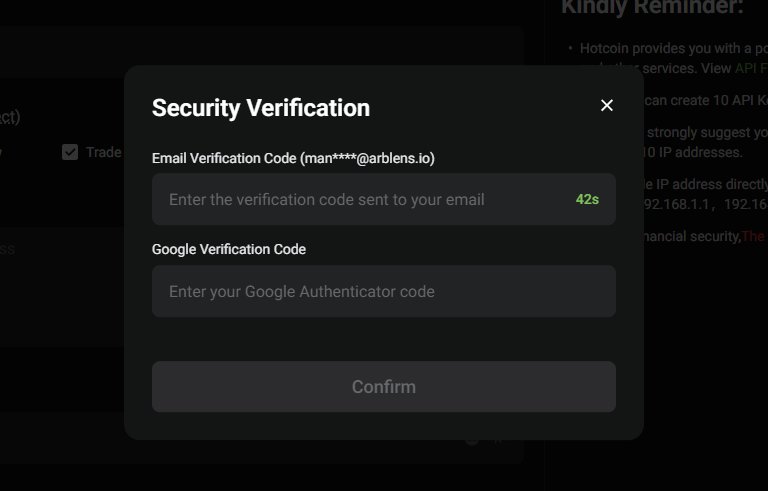
Complete Security Verification
Enter:
Email Verification Code
Google Verification Code
Click Confirm.
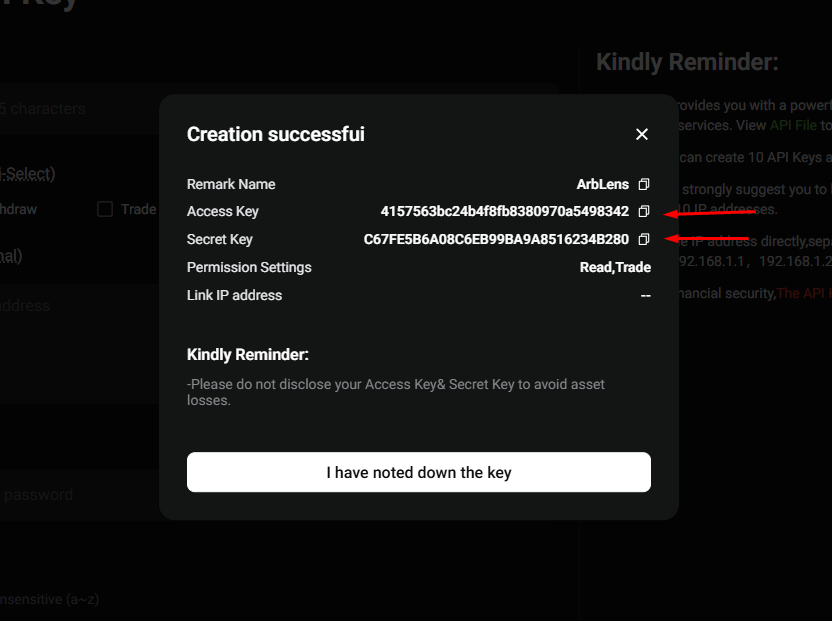
Copy Your API Credentials
After successful creation, Hotcoin displays:
Access Key — use this as the API Key in ArbLens
Secret Key — use this as the API Secret in ArbLens
Copy both values and store them securely.
Click I have noted down the key.
Save the Secret Key before closing the window. Hotcoin warns that API credentials should not be disclosed.
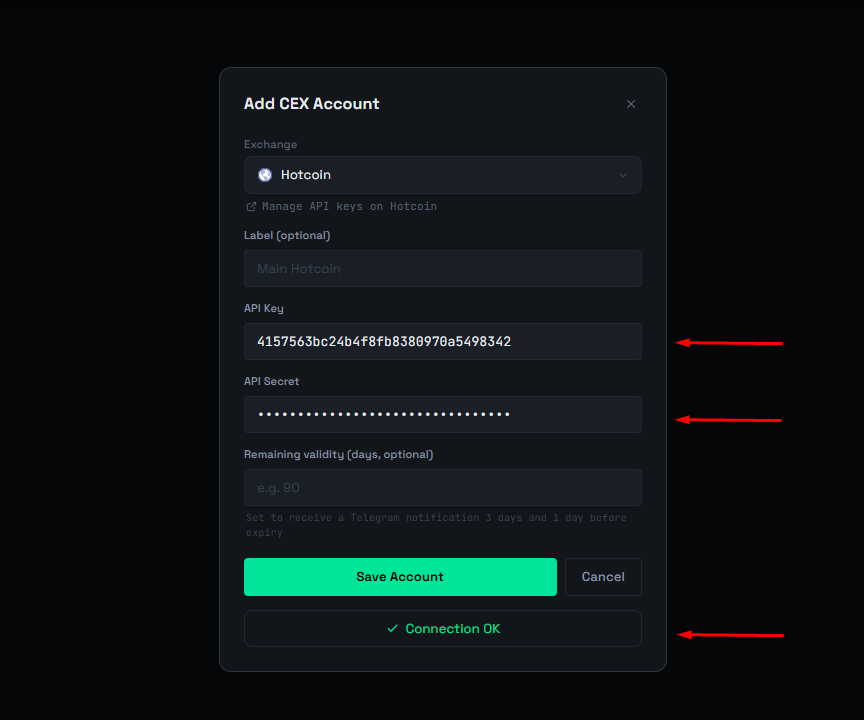
Connect Hotcoin to ArbLens
In ArbLens, open Add CEX Account and select Hotcoin.
Fill in:
Label: optional, e.g. Main Hotcoin
API Key: paste the Hotcoin Access Key
API Secret: paste the Hotcoin Secret Key
Click Save Account.
A successful connection will show Connection OK.
ArbLens uses your API credentials exclusively to retrieve account information. With Read-Only permissions, ArbLens cannot:
- Execute trades
- Place or cancel orders
- Withdraw funds
- Transfer assets
Your assets always remain under your control.