Connect Gate.io to ArbLens
Monitor balances, positions, and transaction history securely using Read-Only API access.
Open API Key Management
Log in to your Gate account.
Go to API Key Management and click Create API Key.
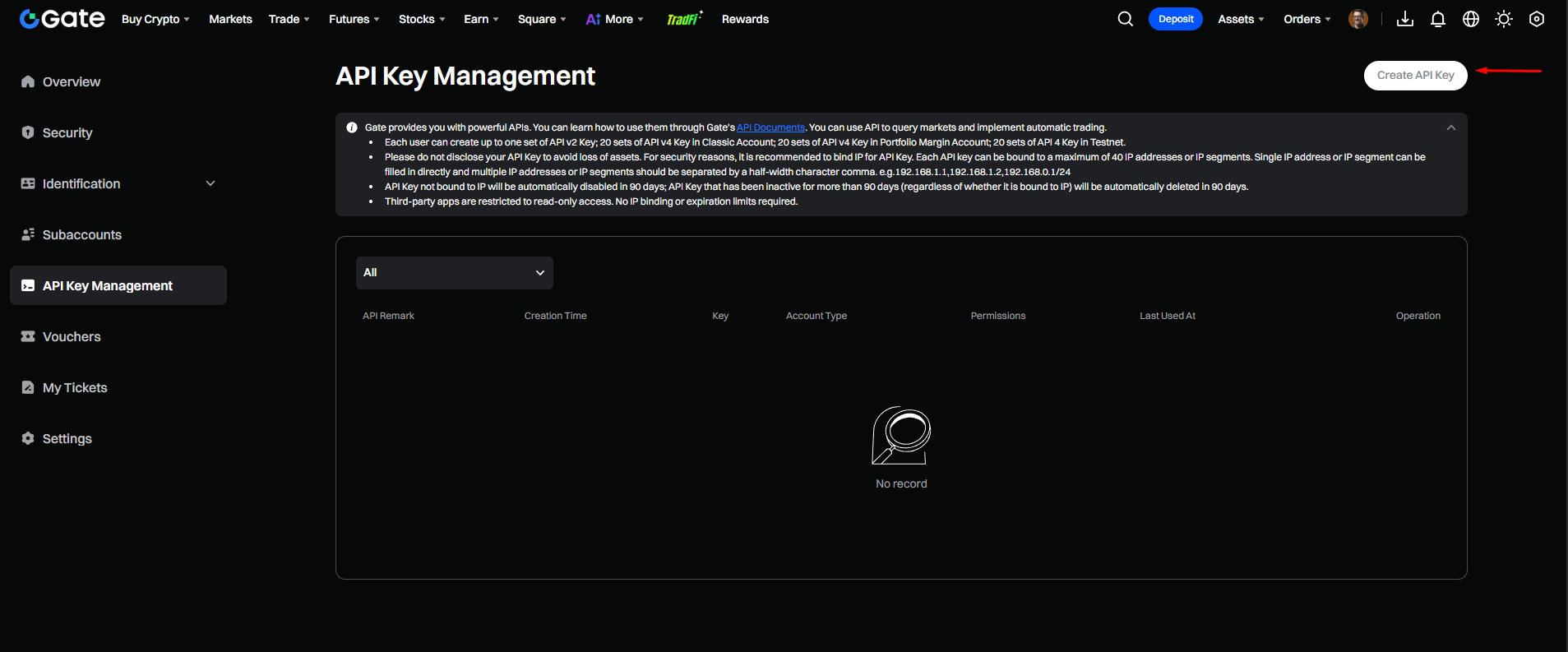
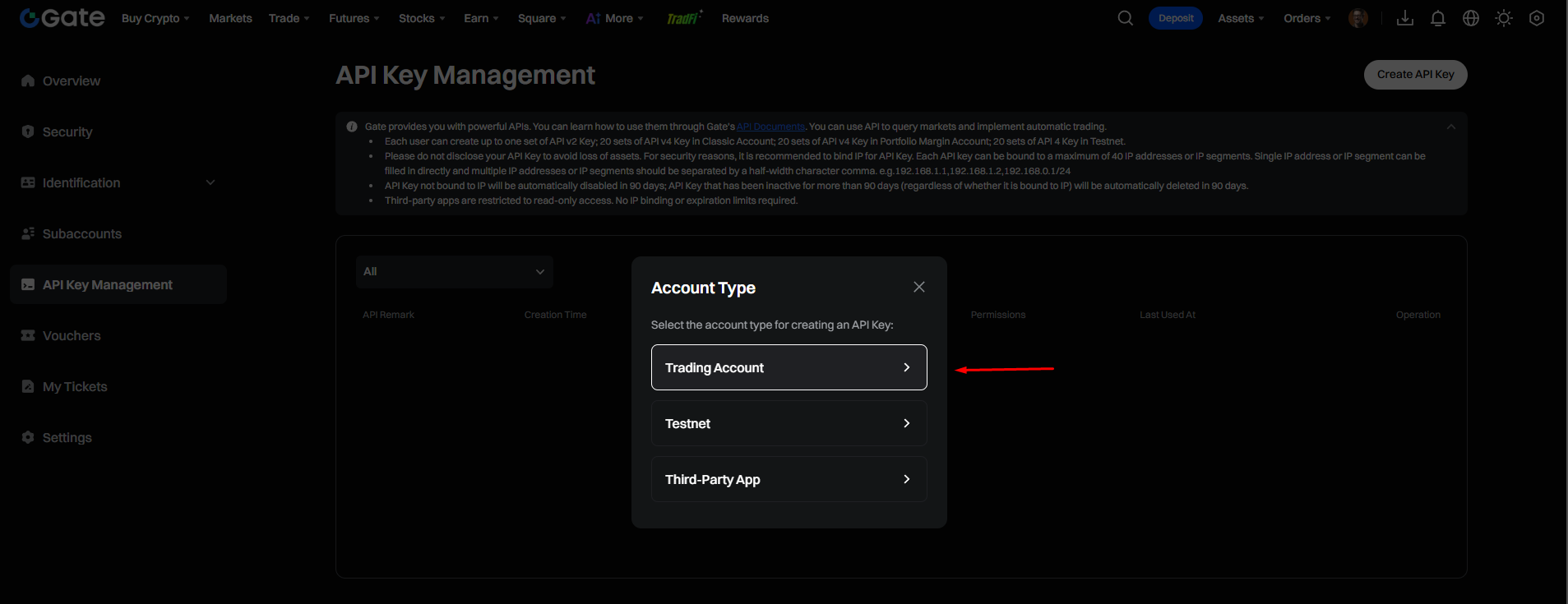
Select Account Type
Select Trading Account.
Do not select Testnet or Third-Party App.
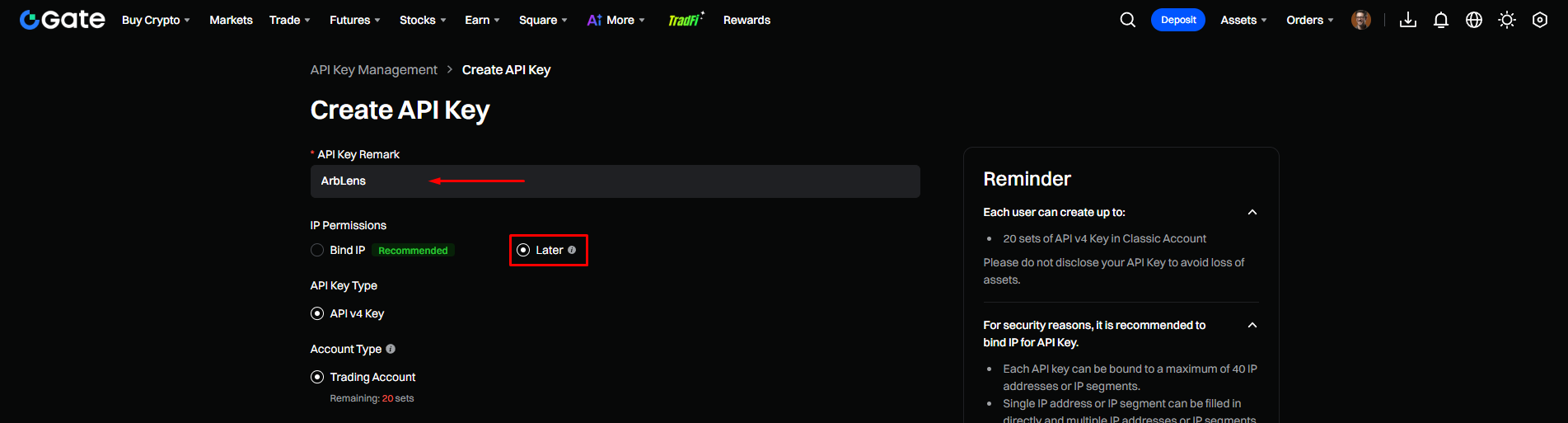
Configure API Key
Enter a name for your API key. We recommend: ArbLens
Under IP Permissions, select Later.
Under API Key Type, select API v4 Key.
Keep Trading Account selected.
Gate recommends IP binding for additional security. IP binding is optional for a Read-Only key.
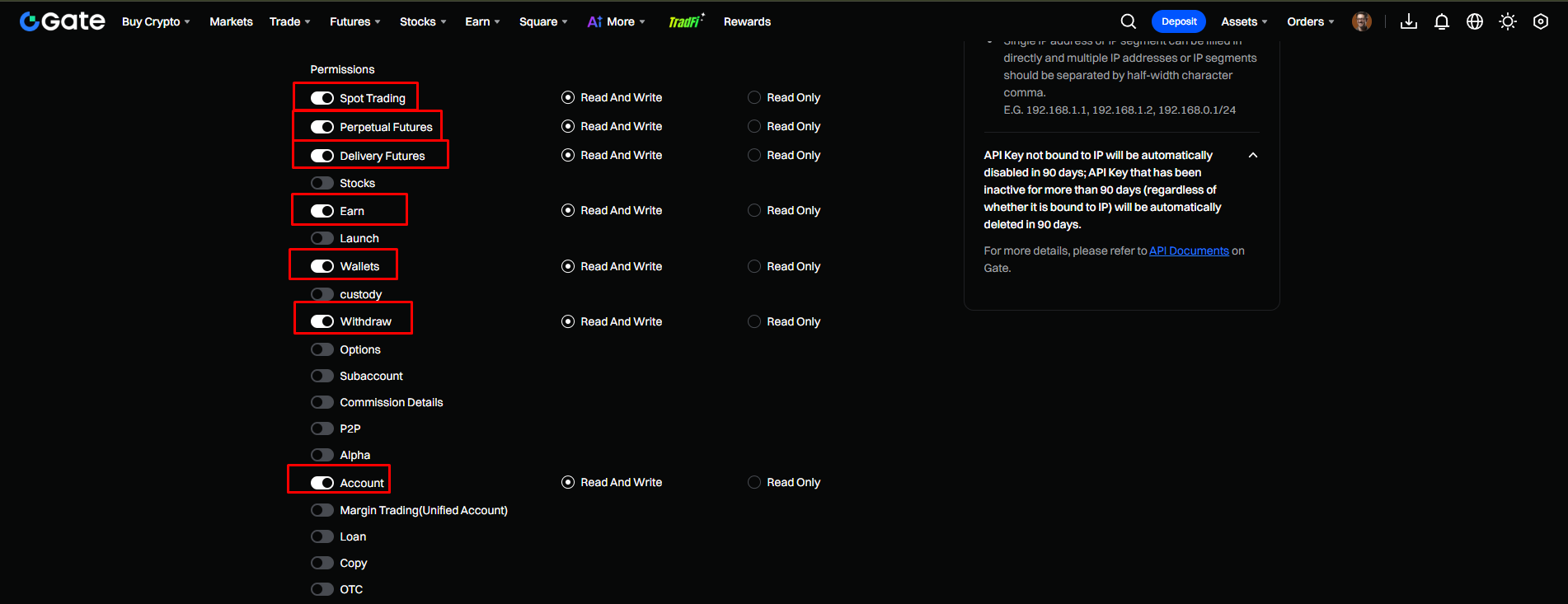
Configure API Permissions
Enable the following services and set each to Read Only: Spot Trading, Perpetual Futures, Delivery Futures, Earn, Wallets, Account.
Keep all other permissions disabled. Do not enable Withdraw, Margin Trading, Loan, Copy, Options, Subaccount, P2P, OTC, Bots, or any trading permissions.
Make sure Read Only is selected instead of Read And Write for every enabled permission.
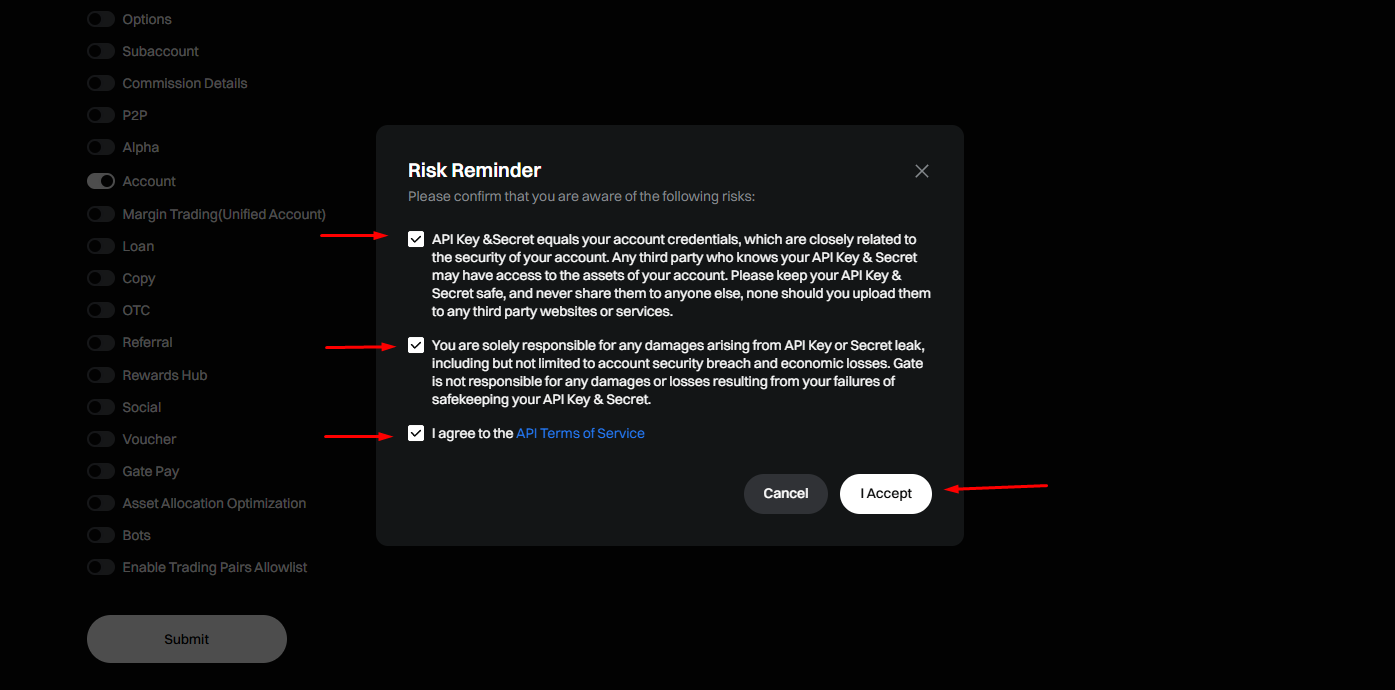
Accept the Risk Reminder
Review the security notice.
Check all required confirmations and click I Accept.
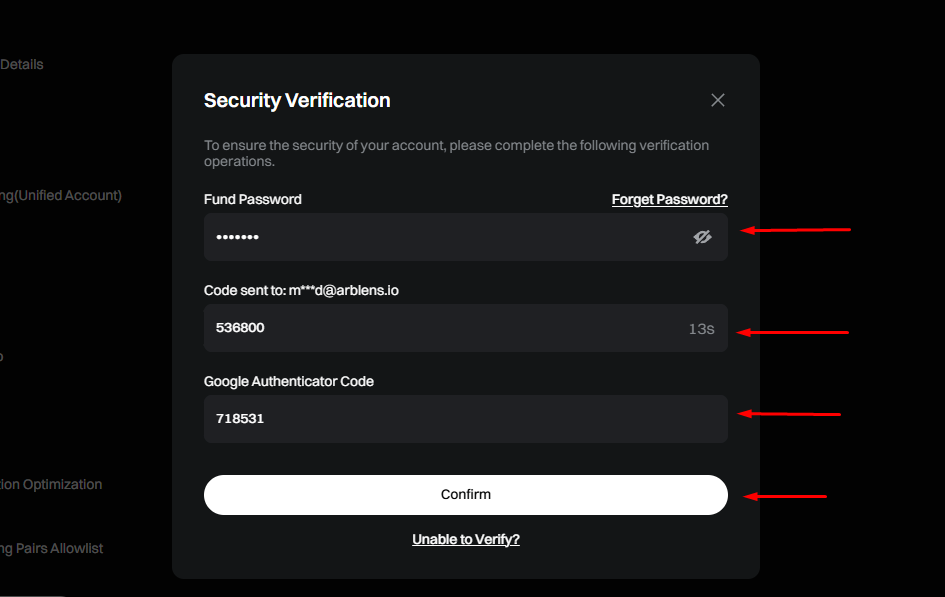
Complete Security Verification
Enter your Fund Password, Email Verification Code, and Google Authenticator Code.
Click Confirm.
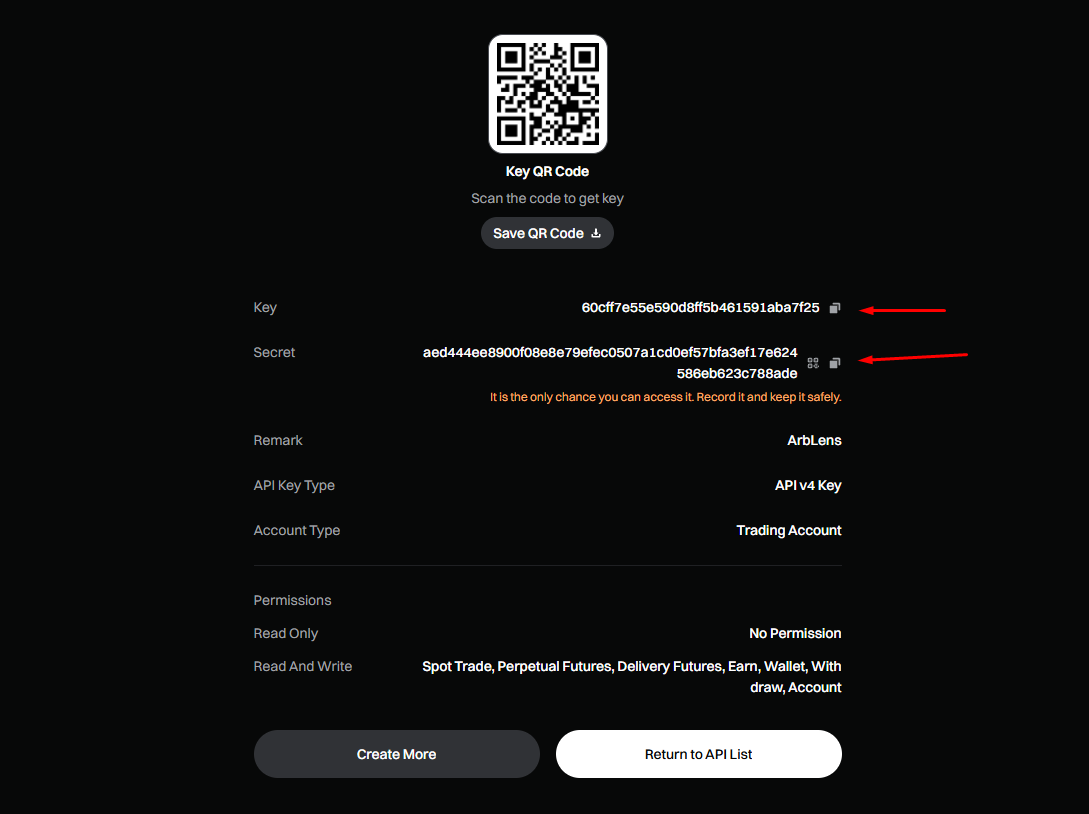
Copy Your API Credentials
Gate will display your API credentials. Copy both the Key and the Secret.
This is the only time Gate displays the Secret Key. Save both credentials securely before leaving the page.
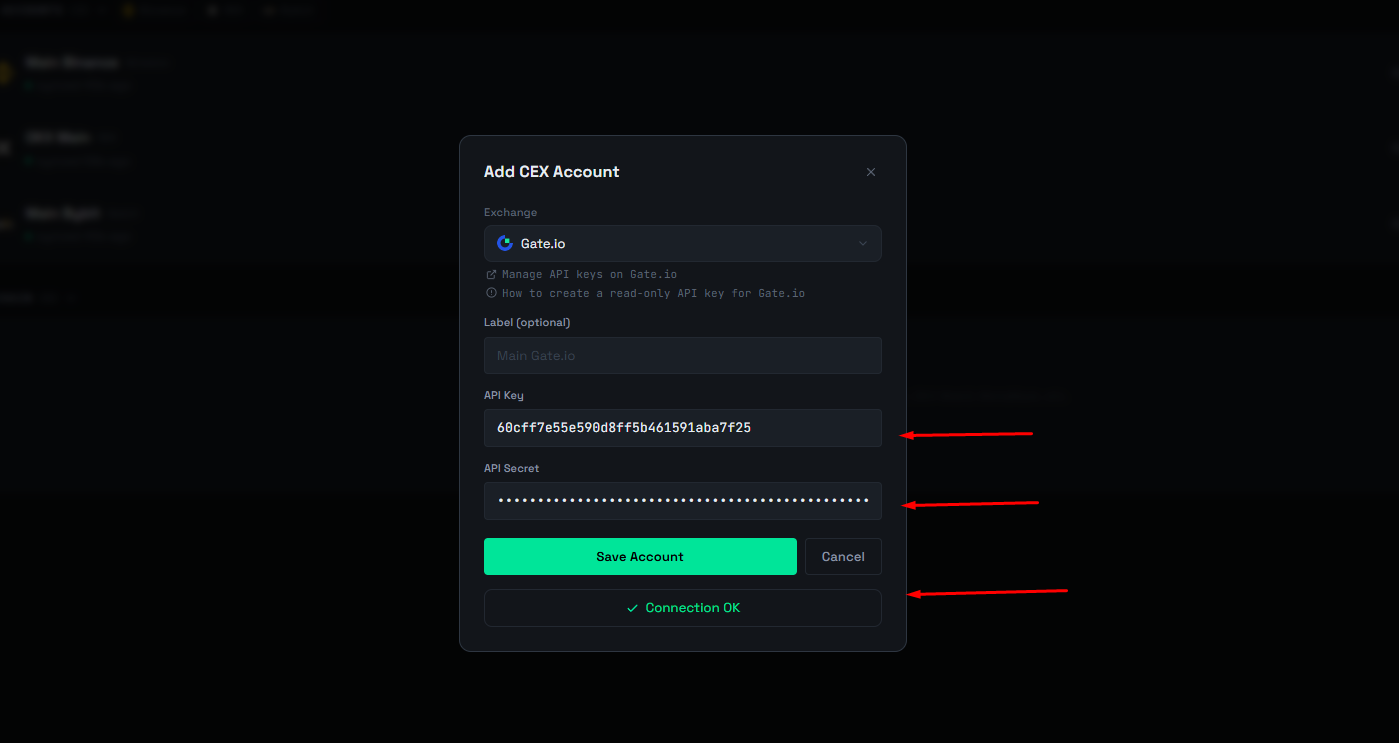
Connect Gate to ArbLens
In ArbLens, click Add CEX Account.
Select Gate.io, enter your Label, API Key, and API Secret, then click Save Account.
If the credentials and permissions are correct, you will see ✓ Connection OK.
ArbLens uses your API credentials exclusively to retrieve account information. With Read-Only permissions, ArbLens cannot:
- Execute trades
- Place or cancel orders
- Withdraw funds
- Transfer assets
Your assets always remain under your control.