Connect Binance to ArbLens
Monitor balances, positions, and transaction history securely using Read-Only API access.
Open API Management
Log in to your Binance account.
Navigate to API Management and click Create API.

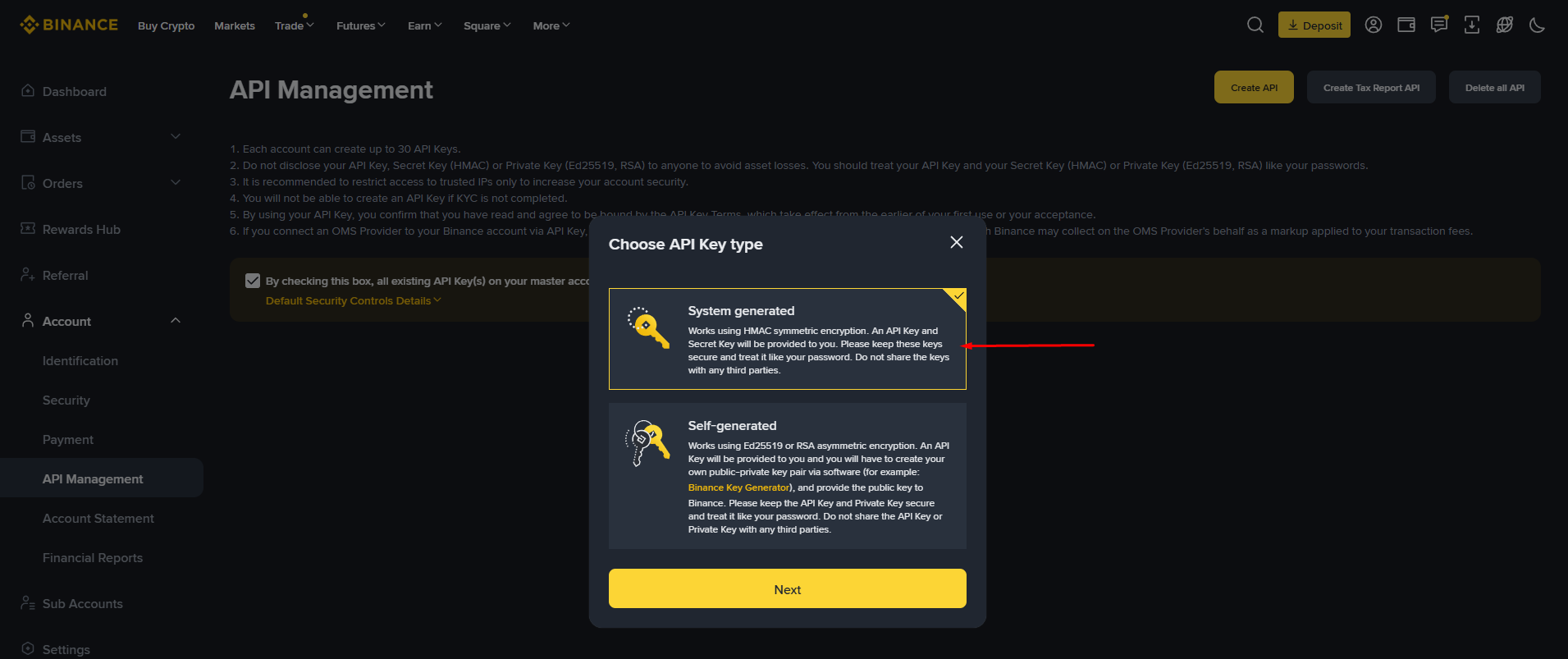
Choose API Key Type
Select System generated and click Next.
Create Your API Key
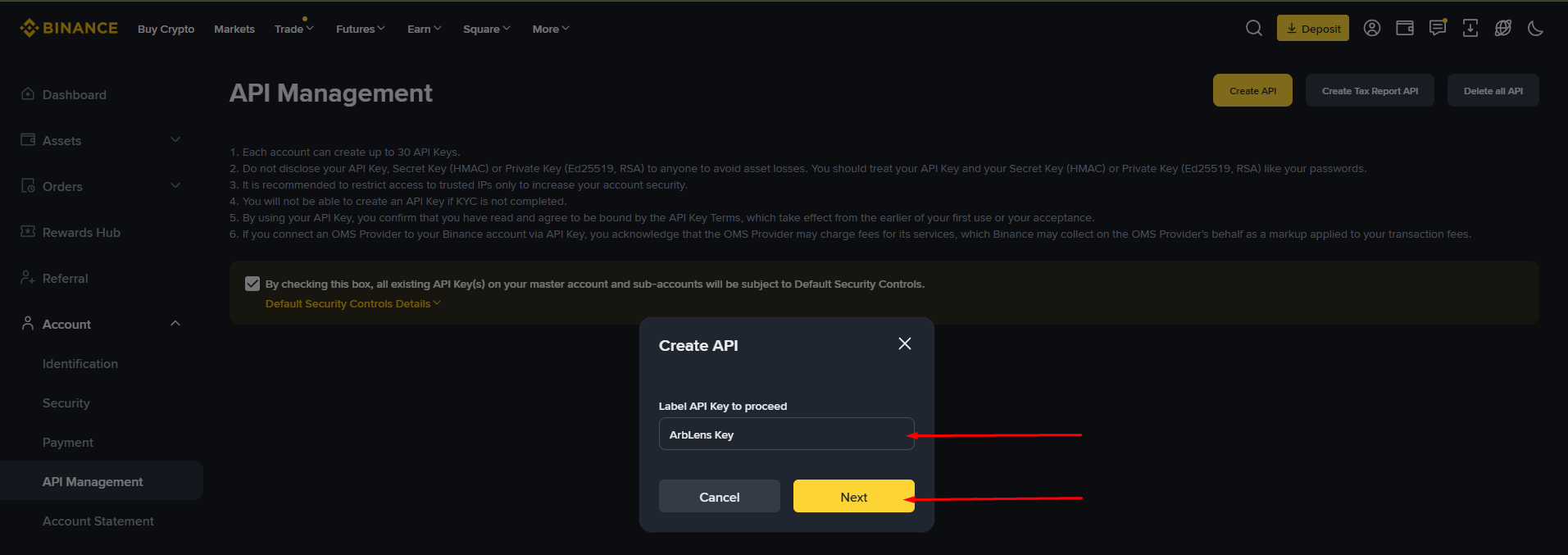
Enter a label for your API key. We recommend: ArbLens or ArbLens Binance.
Click Next.
Complete Security Verification
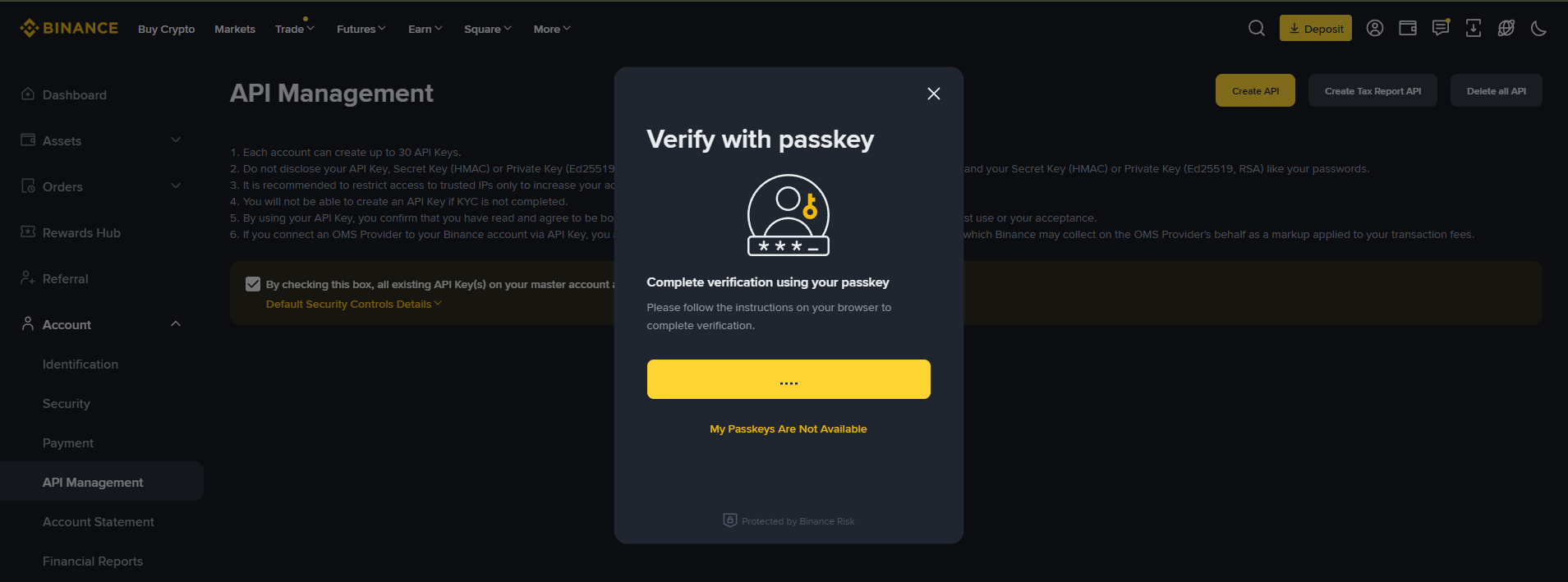
Complete Binance's security verification. Depending on your settings, this may include a Passkey, Authenticator App, Email, or SMS code.
Configure API Permissions
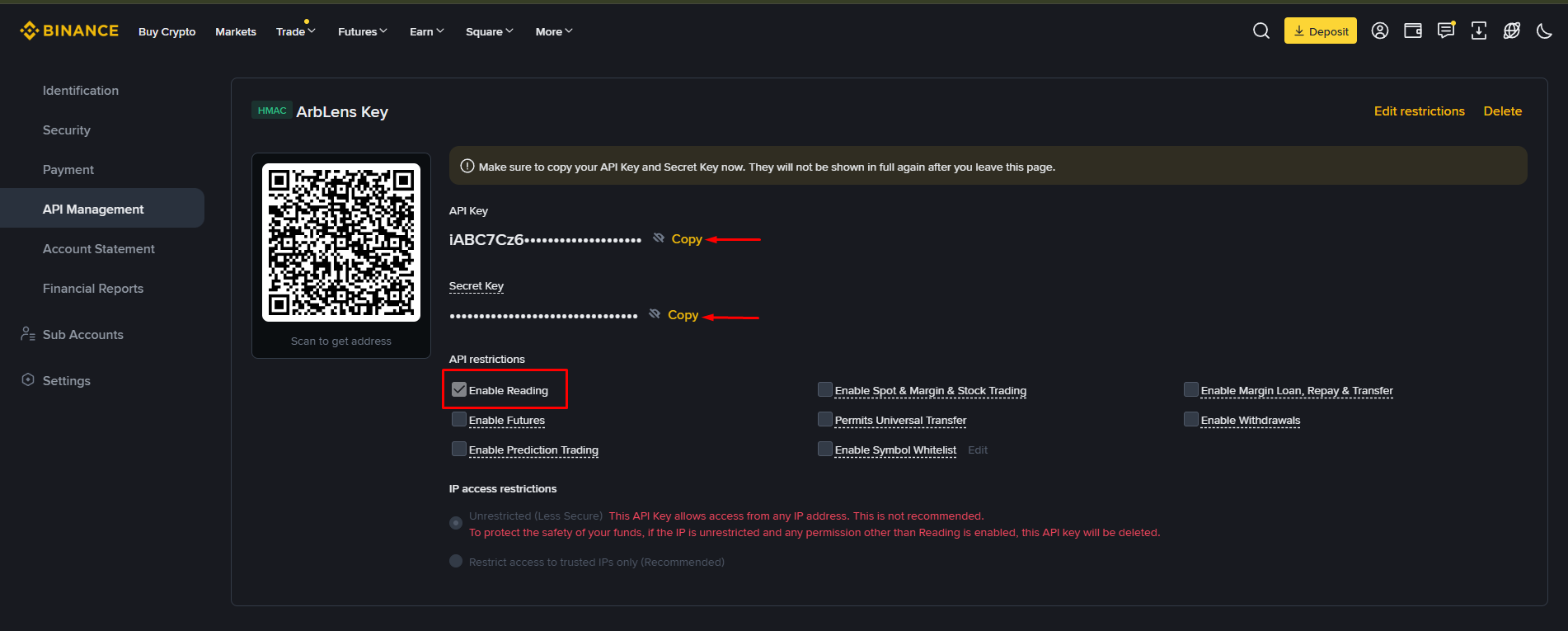
After your key is created, enable Enable Reading.
Leave all other permissions disabled.
Copy both your API Key and Secret Key.
Your Secret Key is shown only once. Copy it before leaving this page.
Connect to ArbLens
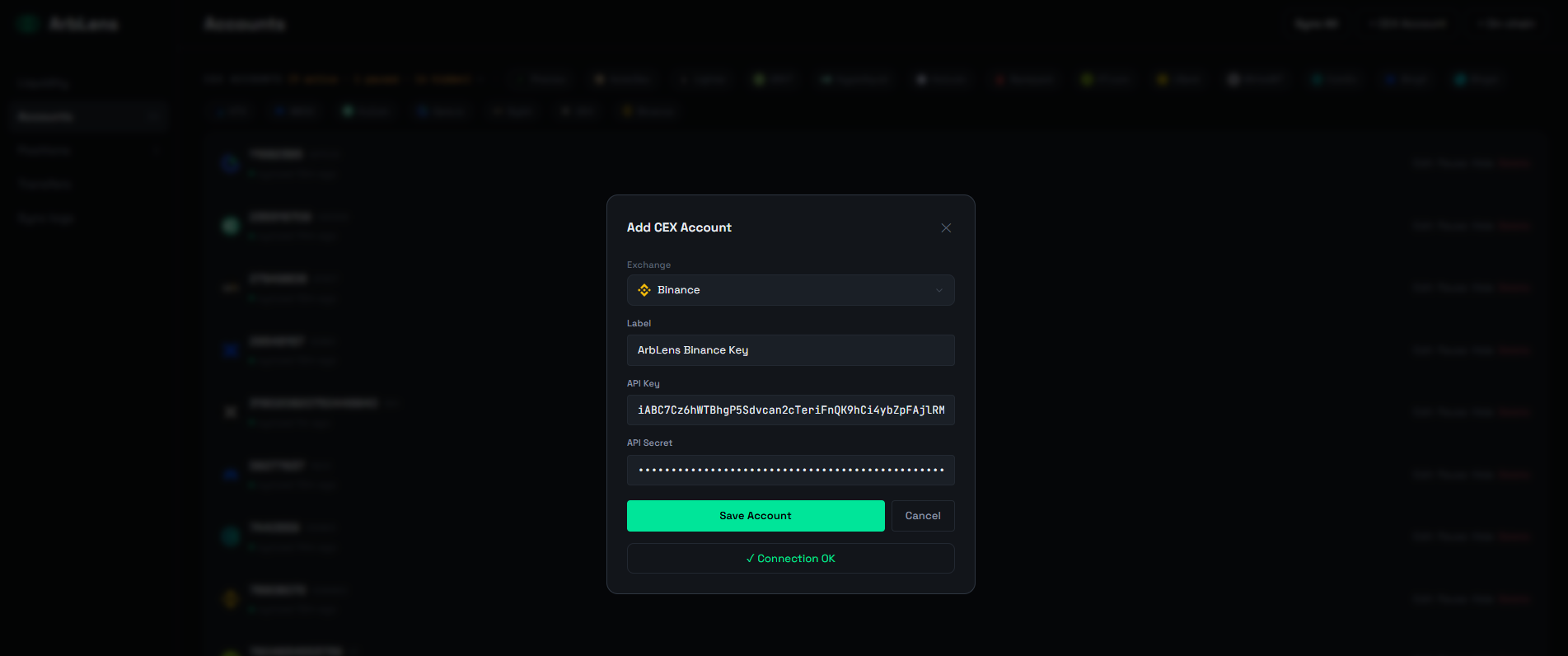
In ArbLens, click Add CEX Account.
Select Binance, enter your Label, API Key, and API Secret, then click Save Account.
If configured correctly, you'll see ✅ Connection OK.
ArbLens uses your API credentials exclusively to retrieve account information. With Read-Only permissions, ArbLens cannot:
- Execute trades
- Withdraw funds
- Transfer assets
- Modify your Binance account
Your assets always remain under your control.